Physiotherapy operations, connected

The complete operational map.

See the workflow, not a checklist.

The patient journey stays connected from booking and clinical documentation through packages, cashier operations, reporting, and center administration.

The moving day

Run the day from first booking to reception display.

Let patients choose from real therapist availability while staff coordinate recurring schedules, changes, arrivals, rooms, and the cases waiting for re-evaluation.

Open this area
AREA WORKFLOW

Online self-booking

Show real therapist availability for online booking, then issue confirmations.

Core workflow

Daily appointment reminders

Run daily reminders through SMS, email, and compatible messaging channels configured for the center.

Therapist schedules

Manage breaks, holidays, and recurring schedules alongside daily appointments.

Scheduling queue

Keep booking work visible in a dedicated scheduling queue.

Workflow depth
  • Shift-based day actions
  • Callbacks and call outcomes
  • Re-evaluation states and alerts
  • Missing-accounting-entry exception queue
Also included

Call-center dashboard

Give call-center staff a focused dashboard for appointment work.

Room distributor

Coordinate available rooms across the center’s working day.

Re-evaluation follow-up

Maintain a clear list of patients awaiting re-evaluation.

Live queue and reception screens

Show the active queue on reception display screens.
The course of care

See every session, package use, and approval step.

Turn a course of treatment into a visible sequence. Staff can follow session progress, understand package consumption, and move service contracts through deliberate stages.

Open this area
AREA WORKFLOW

Numbered treatment sessions

Show each visit in context—such as session 6 of 12—and count progress automatically.

Core workflow

Detailed packages

Build priced packages with per-line quantities and discounts.

Usage ledger

Track package service usage and consumption in a dedicated ledger.

Nightly due-service consumption

Automatically consume package services that are due during the nightly process.

Workflow depth
  • Package clone and frequency rules
  • Fixed or percentage line discounts
  • Contract status history, cancel, and archive
Also included

Service contract workflow

Move service contracts from drafting to pricing, then into an approval queue.

The clinical ink

Draw what the body cannot say in a checkbox.

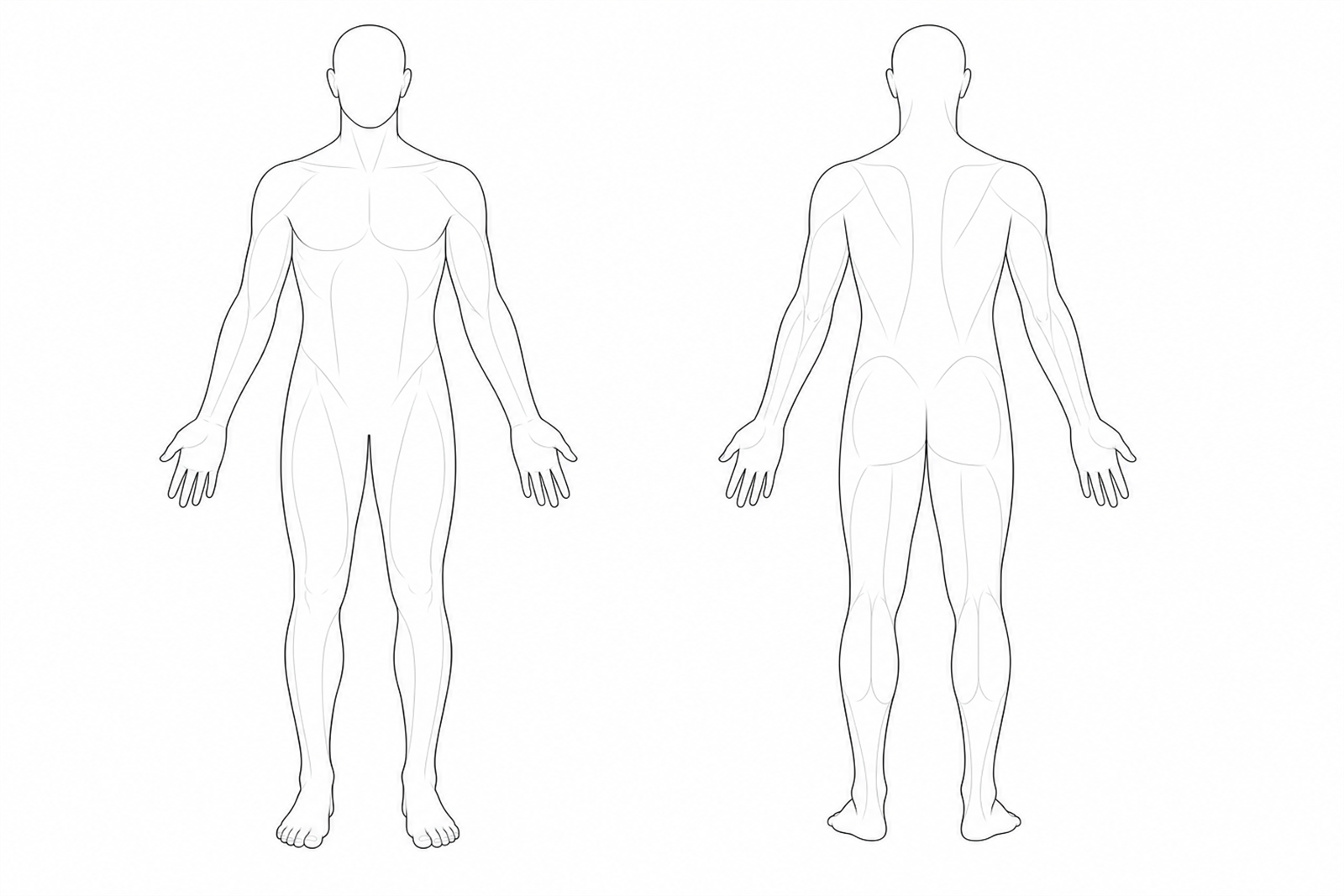
Put the therapist’s own mark inside the chart. Draw over anatomical maps or multi-page forms, keep measurements beside the note, and print the finished clinical record.

Open this area
AREA WORKFLOW

A real pen surface

Draw freehand with a stylus, touch, or mouse on anatomical body maps and multi-page clinical forms.

Core workflow

Part of the chart

Save drawings to the patient chart and print them with the clinical form.

Physical-diagnosis drawings

Capture physical-diagnosis drawings as part of clinical documentation.

Structured clinical sheets

Document SOAP-style sheets with measurements and a clear finalization status.

Workflow depth
  • Longitudinal patient history
  • Draft, finalize, and authorized reopen
  • Program correction and automatic completion
Also included

Diagnosis catalog

Use an ICD-ready diagnosis catalog alongside the clinical record.

Whole patient, one staff screen

Bring the patient’s clinical and operational context into one staff-facing workspace.

Patient analytics and feedback

Review patient analytics and feedback statistics without leaving the system.

The accountable close

Close the day with the numbers and people work connected.

Give reception, cashier, management, and HR a shared operational spine—from patient ledger entries to a counted and reconciled daily close.

Open this area
AREA WORKFLOW

Cashier daily close

Count, reconcile, and lock the completed daily close from the cashier dashboard.

More operational detail

Core workflow

Per-patient ledger

Review the financial ledger for each patient from the staff workspace.

Operational financial reports

Review profit, revenue, and expense reports.

Daily revenue email

Send management an automatic daily revenue email.

Workflow depth
  • Partial payments and receipts
  • Typed ledger corrections
  • Filtered exports and exception reporting
Also included

Staff payroll

Manage staff payroll alongside day-to-day center operations.

HR essentials

Track attendance, leave, and salaries for staff.

Flexible payment collection

Connect seven or more online payment gateways.

Insurance as a payment method

Record insurance as a payment method. This does not include claims or coverage tracking.

The dependable layer

Keep access deliberate and operations observable.

Support daily clinical operations with clear access controls, visible system records, nightly continuity routines, and interfaces that work naturally in Arabic.

Open this area
AREA WORKFLOW

Nine interface languages

Use nine interface languages, including complete Arabic right-to-left support.

More operational detail

Core workflow

Installable PWA

Install the web application on supported devices as a progressive web app.

REST API

Connect approved external workflows through a REST API.

Nightly database backups

Run automated database backups every night.

Workflow depth
  • Role permission matrix
  • Per-user view, grant, and revoke overrides
  • Activity history for scheduling and contracts
Also included

System logs

Review system logs for operational visibility.

Workflow activity history

Review activity and status history for scheduling and contract workflows.

Role-based permissions

Control staff access by role and add two-factor authentication.

From one center to a group

Give each team its workspace and the group its view.

Operate one center or coordinate a group without losing the local working context. Add approved integrations and bring dormant hospital-oriented modules forward as needs grow.

Open this area
AREA WORKFLOW

Per-center workspaces

Give each center its own workspace with role-scoped access.

More operational detail

Core workflow

Consolidated oversight

Give authorized group teams a consolidated view across centers.

Outbound calendar publishing

Publish appointments to an external calendar in one direction only.

Video consultation integration

Connect supported video-consultation services for remote appointments.

Workflow depth
  • Per-center workspaces
  • Role-scoped access
  • Separately enabled hospital growth modules
Also included

Dormant growth modules

Bring pharmacy, laboratory, and ward modules into use when the organization grows into those operations.

Working outputs

Operational records that can leave the screen.

Produce patient receipts, package summaries and activity reports, service-log receipts, and staff payslips from their working context.

Physiotherapy operations, connected

Bring your actual workflow to the demo.

We’ll walk through the parts that matter to your center, team, or rehabilitation department.

Arabic RTL · Multi-center · Nightly backupsBook a demo